


There are many ways to play Magic: The Gathering (MTG) on computer and smartphone in 2025. The main options supported by Wizards of the Coast (WotC) are MTGO (Magic Online) and MTG Arena. But since these are official products, you have to pay to use them and build your collection (the comparison between Arena and MTGO is another story). Sometimes, however, you just want to play or test MTG for free: there are free software created and maintained by the community.
MTG Forge is one of them, and it's one of the best ways to play against an artificial intelligence with an Italian interface. If you want to test decks or practice without the pressure of facing stronger players, MTG Forge is perfect. Today we will show you how to install and play it from scratch, with some tips for improvement. We will also see how to build decks and play matches, based on my experience with Forge.
Let's see what this open-source software offers! Below we will cover the guide for PC, but it is also possible to install it on Android by downloading the APK file from Github, updated daily, we will talk about it on the forum in the coming days.
What is MTG Forge?
MTG Forge is free software that allows you to play MTG mainly against AI. It is also possible to connect with other real players, but this mode is not well supported. It has been around since 2008 and supports a wide range of formats: Standard, Modern, Commander, Draft, and Sealed.
Forge is also a rules engine, meaning software that automatically applies the game's rules. It is essentially an MTG simulator. You can load decks, build Limited decks to use against other AI decks, and even draft a Cube (yours or someone else's).
Why Use MTG Forge?
MTG Forge is ideal if you want to practice every aspect of the game by yourself, against a functional AI, and without spending anything. You can test a deck to see if it works as intended, learn the pros and cons of a specific combo deck, solo test a deck, and much more. You have access to all cards, so you're not limited to what you have in your collection. If you have an idea for an EDH deck, you can virtually test it before it even hits the table. Practicing for Sealed is also an interesting option, and Forge can generate a pool from any format, such as Duskmourn or Bloomborrow, and you'll play your deck against AI-generated decks.
Another interesting feature is Limited against AI. With Forge, you can practice an 8-person Draft and play your deck against AI-generated decks from the same pool. So if you want, you could consider hate-drafting certain bombs, which makes no sense in MTG Arena or MTGO.
How to Download and Install MTG Forge
To download and install MTG Forge, you need to follow a series of steps.
Install Java Runtime Environment 8
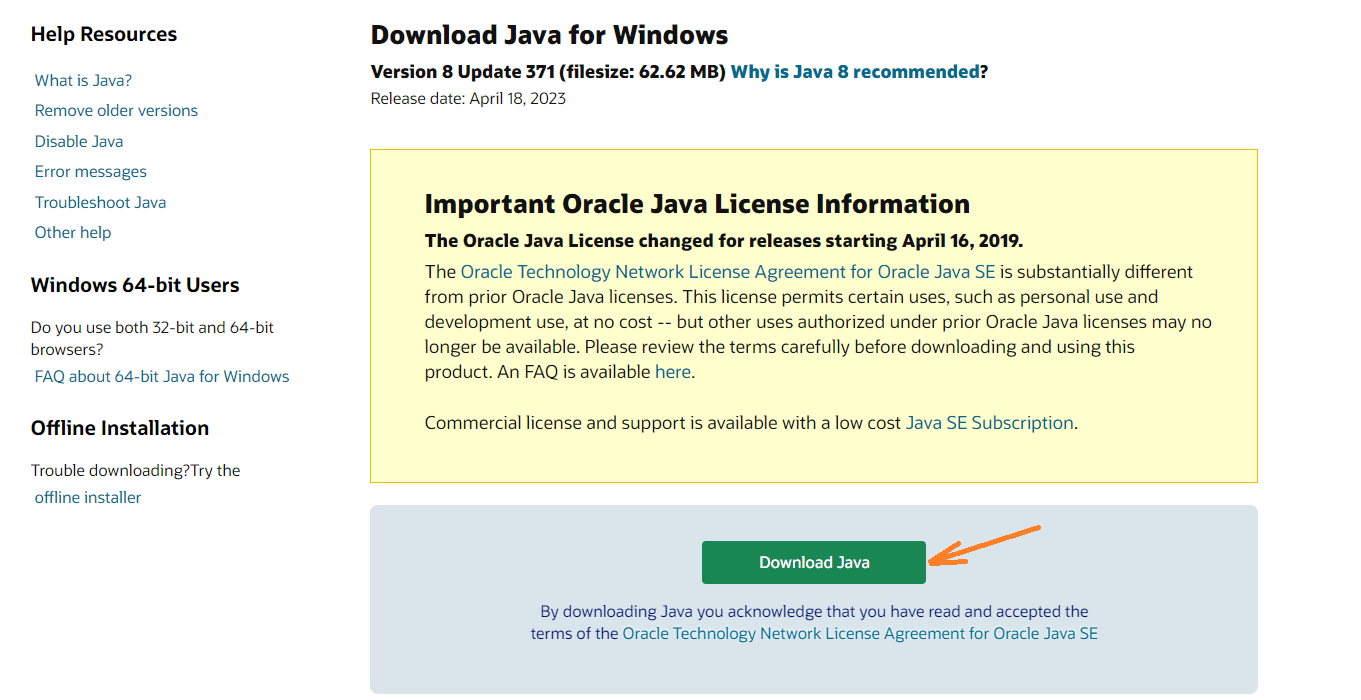
Forge works with Java, so you need to install it if you don't have it. Check from Control Panel > Programs. If it's not there, download Java 8 (https://www.java.com/) and install the JavaSetup8u371.exe file.
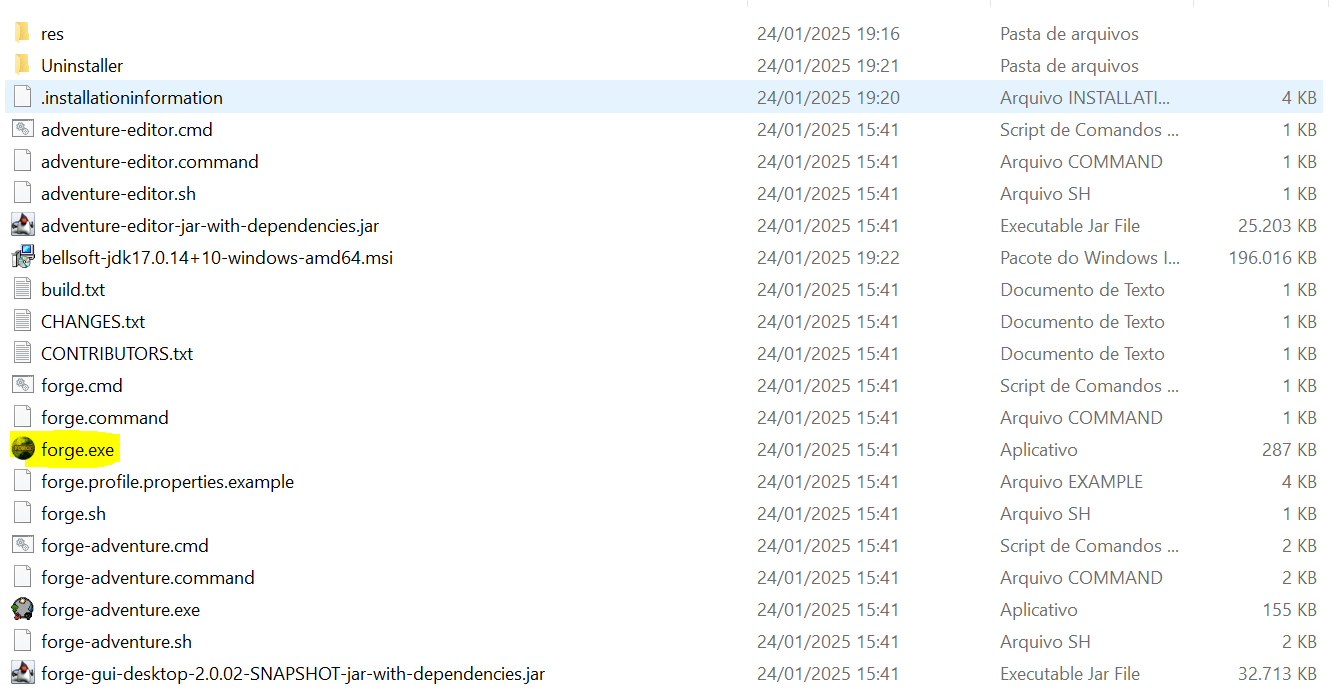
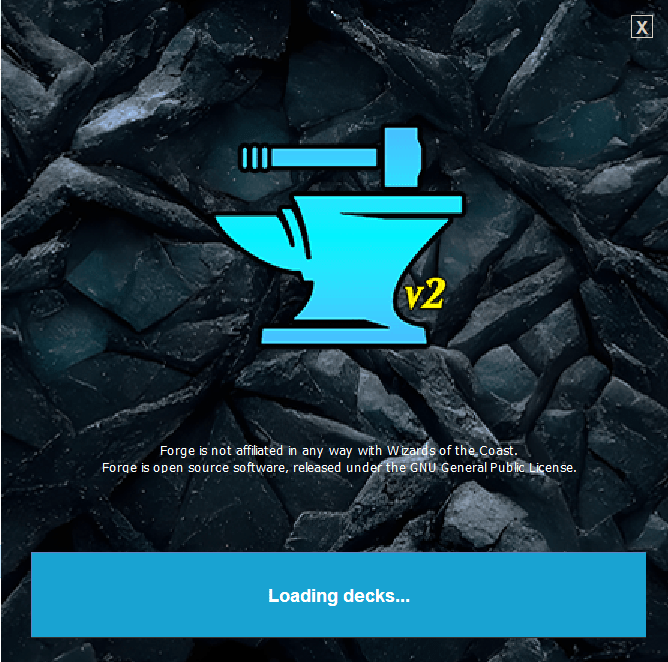
Click here https://github.com/Card-Forge/forge/releases/tag/daily-snapshots to install the Forge snapshot. Unzip it to your preferred folder and launch forge.exe. You will see an initial splash screen and then Forge's main screen.
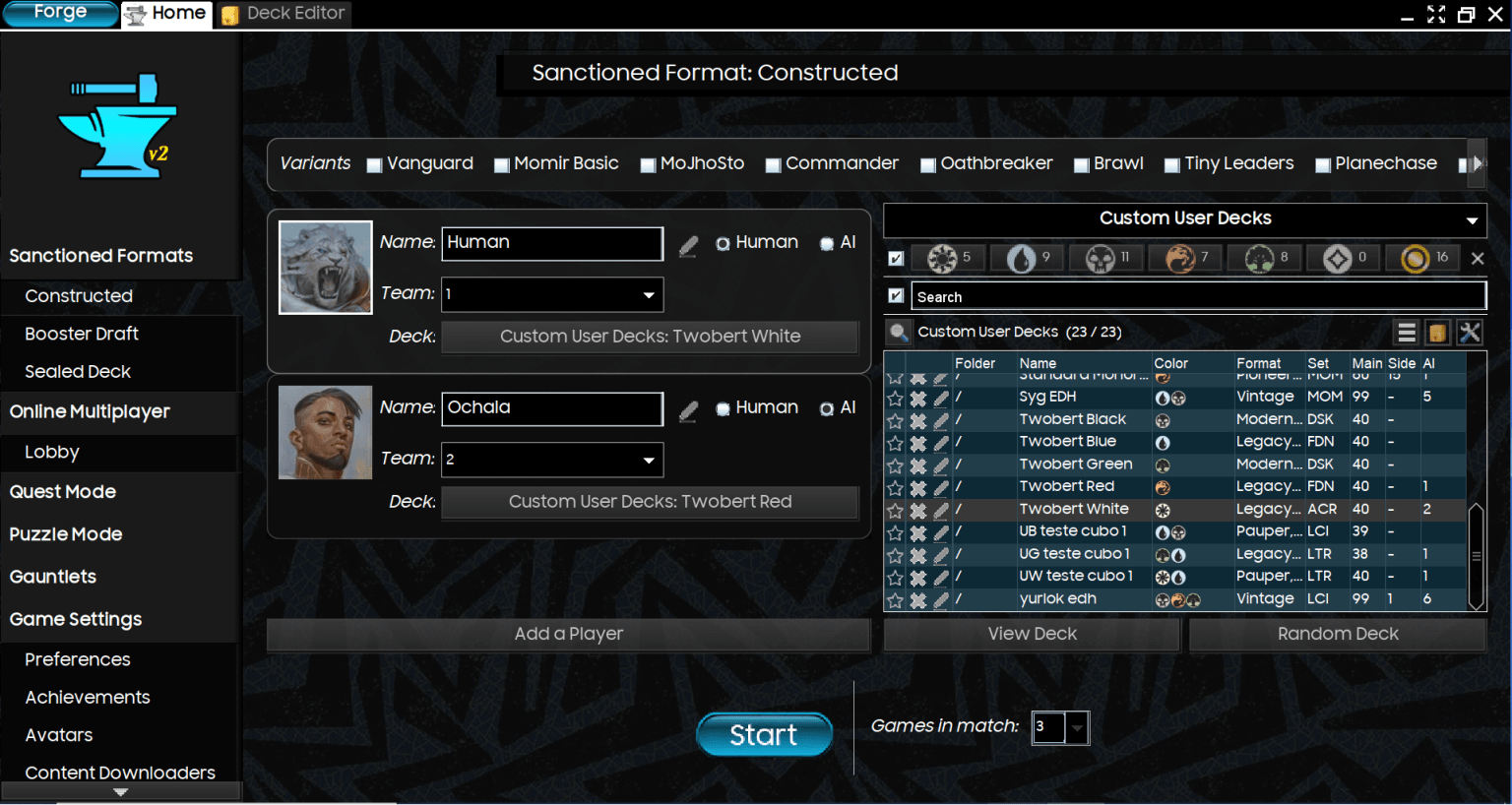
Here you can see the formats we can play and how many players we will have in a game. On the right, you can see the decks we have loaded into the software.
How to get card images
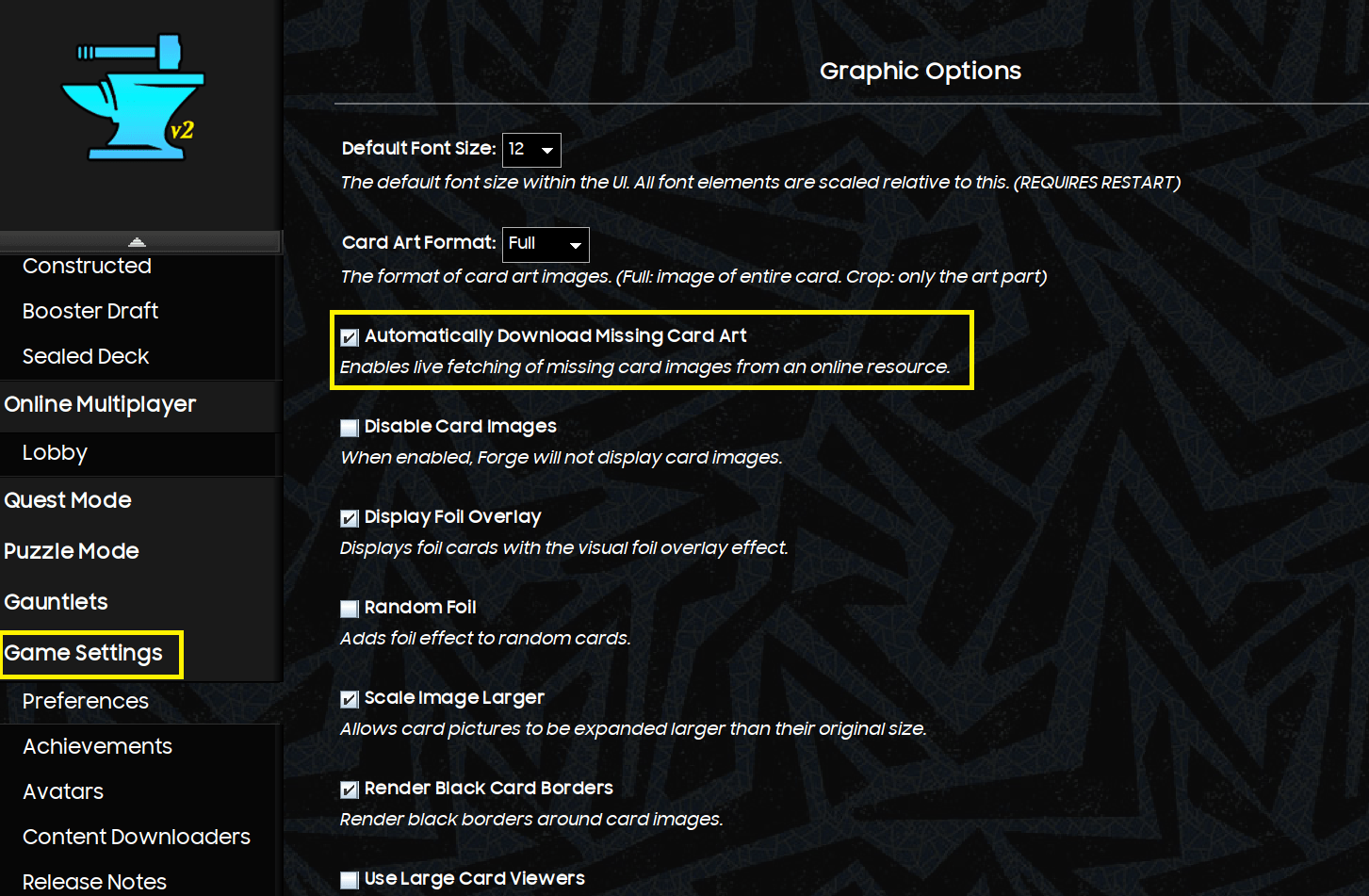
The easiest way is to go to Game Settings > Graphic Options and enable “Automatically Download Missing Card Art.”
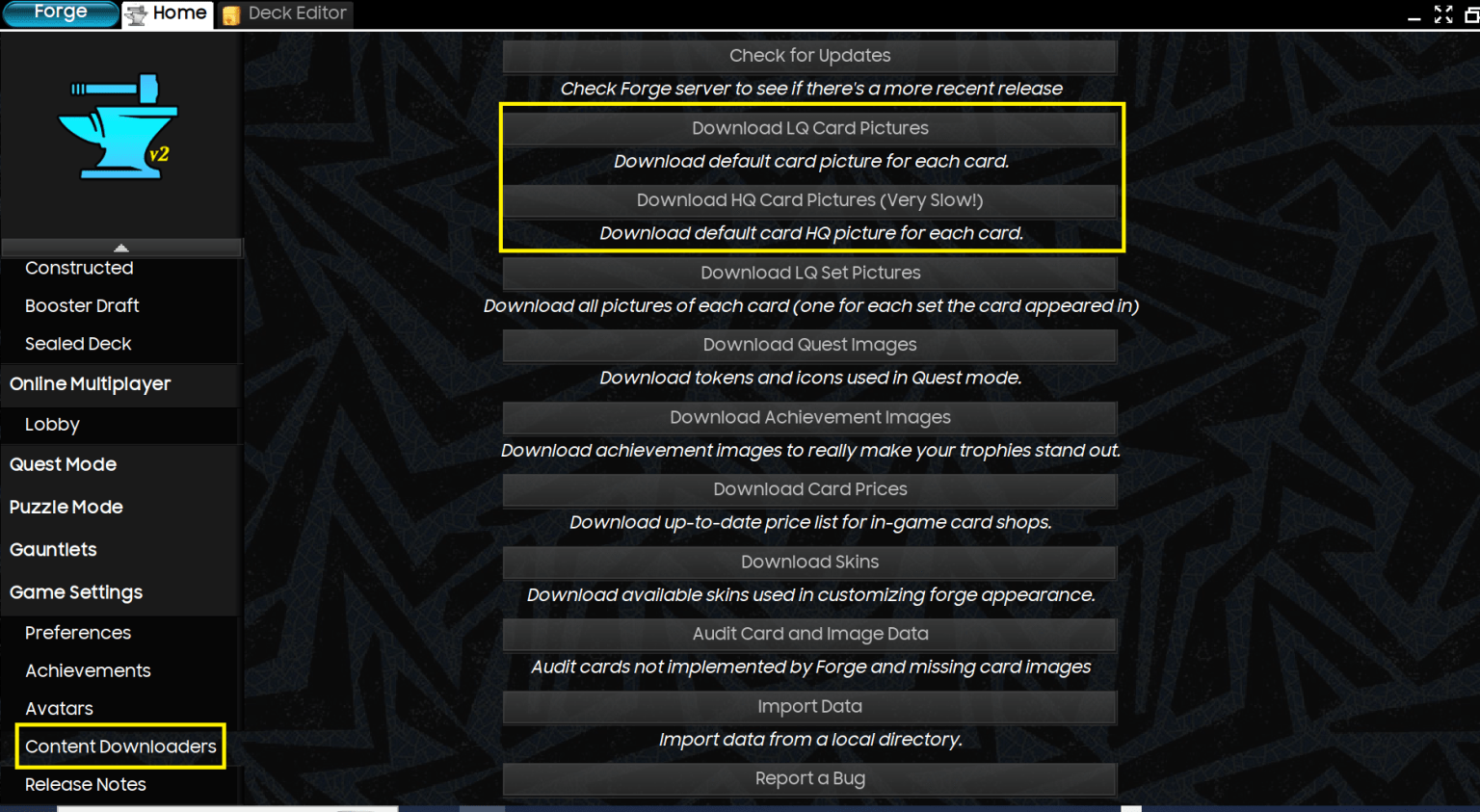
Alternatively, go to Game Settings > Content Downloaders to download images in low or high quality.
Adventure Mode in MTG Forge
Among the most unique and interesting modes in MTG Forge is Adventure Mode, a single-player variant that transforms Magic from a simple card game into an experience more akin to a small role-playing game.
At the start of the game, even before entering the map, you are asked to create your character. This phase is simple but important, as it defines the starting point of your run. You choose your reference color (or colors), which influence your starting deck and playstyle. In essence, it's like choosing a "class": starting blue means having access to more control and draws, while red or green push towards more aggressive or creature-based strategies. This initial choice strongly influences the early stages of the adventure.

Once your character is created, you find yourself on an explorable map. This is where the heart of the mode begins. You move between different areas, encountering AI-controlled opponents and playing matches that represent actual "clashes" along the way. Each victory allows you to obtain new cards or resources, which progressively improve your deck.
Unlike classic Constructed, you don't start with an optimized deck. The deck grows over time, often imperfectly, and it's up to the player to adapt. This makes every choice more significant: adding a card, modifying the curve, or changing the game plan can make a difference in subsequent matches.

The central point of the mode isn't so much winning a single match as it is managing the growth of the deck over time. You don't have access to all cards like in classic Constructed, so every choice carries more weight. If you find a strong card, you have to decide whether to integrate it immediately, modify your curve, or completely change your game plan. This makes the experience much more strategic and less "automatic."
The games themselves function exactly like in a normal mode, but the context completely changes the perception. A defeat slows down progression, while a victory opens up new possibilities. This creates a sense of continuity that doesn't exist in traditional Magic.
This mode takes direct inspiration from Shandalar, one of the most iconic video games related to Magic: The Gathering. Released in the late 90s, Shandalar was a unique experience for its time because it combined the card game with a map exploration system and elements typical of role-playing games. The player moved through an open world, encountered opponents, battled creatures, and collected cards to strengthen their deck.
What made Shandalar special was precisely this sense of adventure. It wasn't just about playing games, but about building something over time, with a stronger connection between the player and their deck.
Forge takes this idea and adapts it in a modern key. Adventure Mode is not a perfect copy of Shandalar, but it retains its spirit. You'll find the same sense of progression, the same need to adapt to what you find, and the same satisfaction in seeing your deck evolve game after game.

For those accustomed to competitive Magic, this mode might seem secondary, but in reality, it is also very useful for improvement. It forces you to play with limited resources, make less "optimal" decisions, and maximize every card. It's a different type of training, but surprisingly effective.
Ultimately, Adventure Mode is the best way to experience Forge in a more relaxed yet engaging way, while Shandalar remains the historical reference point from which all this originated.
Classic Mode in MTG Forge
Let's start by building a Standard deck on MTG Forge. To play Standard on Forge, let's try importing two powerful decks that people are probably tired of facing: Mono-Red Aggro and Dimir Midrange.
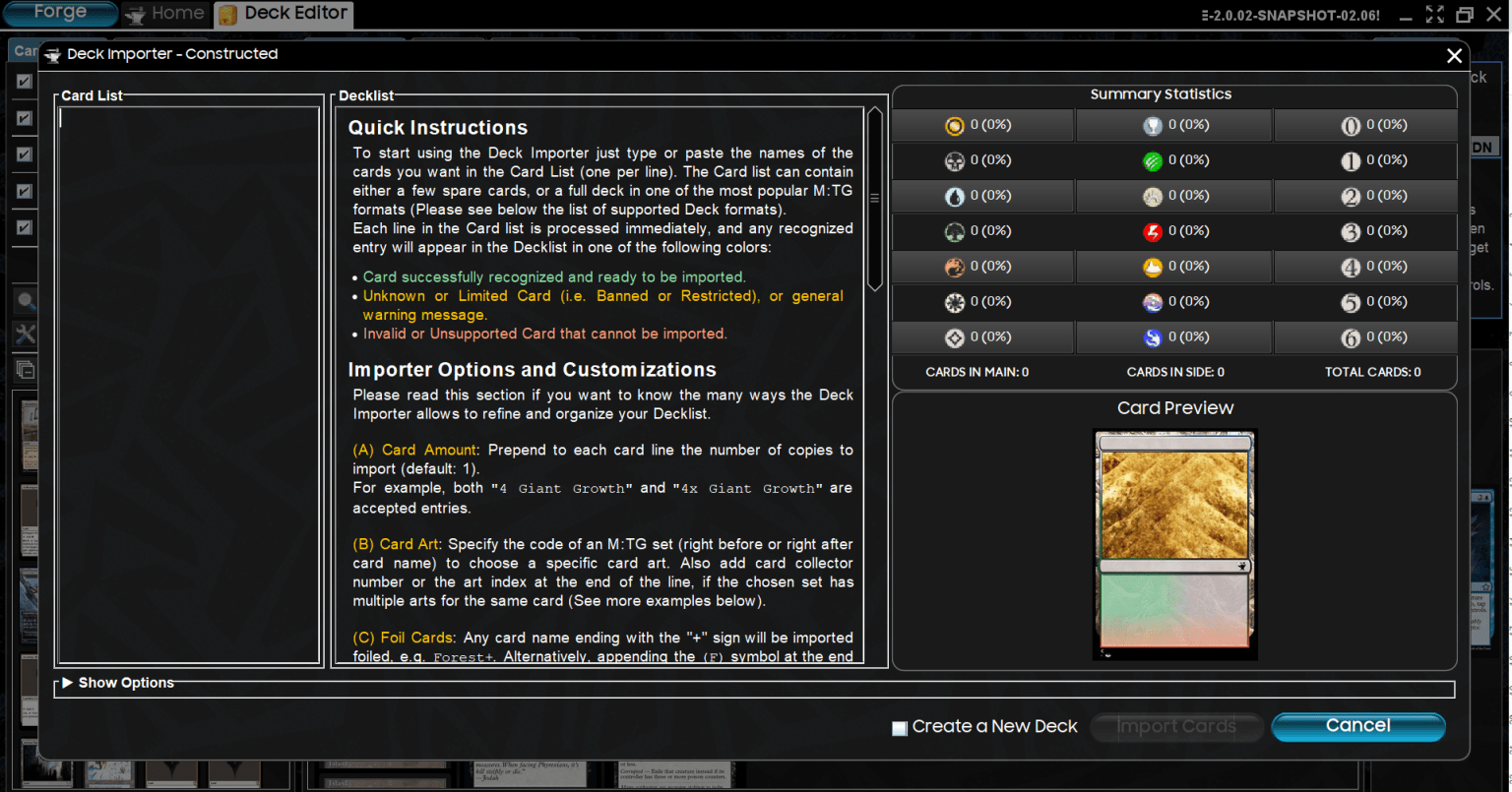
Here, I just need to click Deck Editor and then Import, which will open this screen for pasting our list. It is also possible to add card by card if we want, or modify them manually.
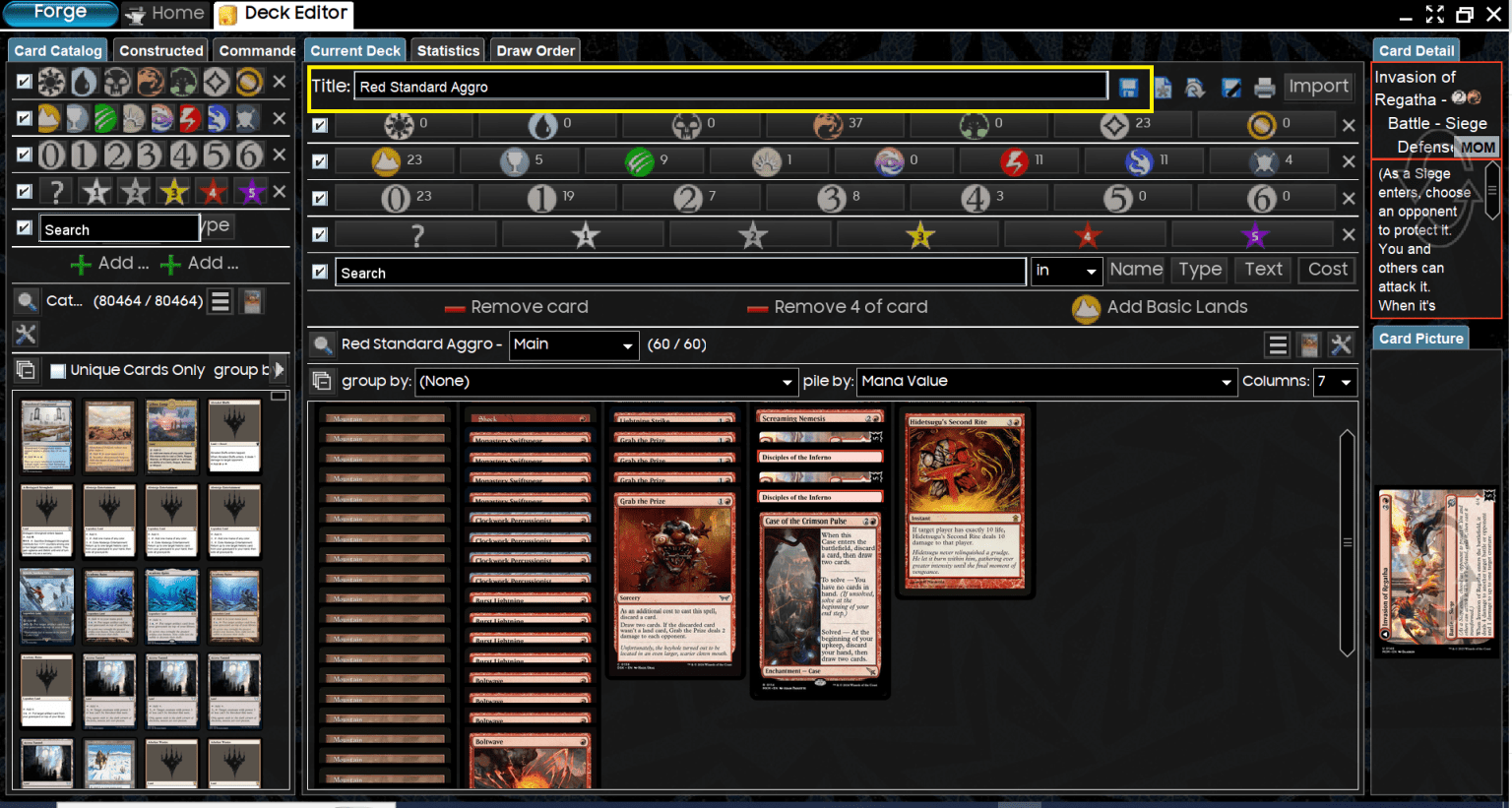
This is the imported deck, once the card names have been entered.
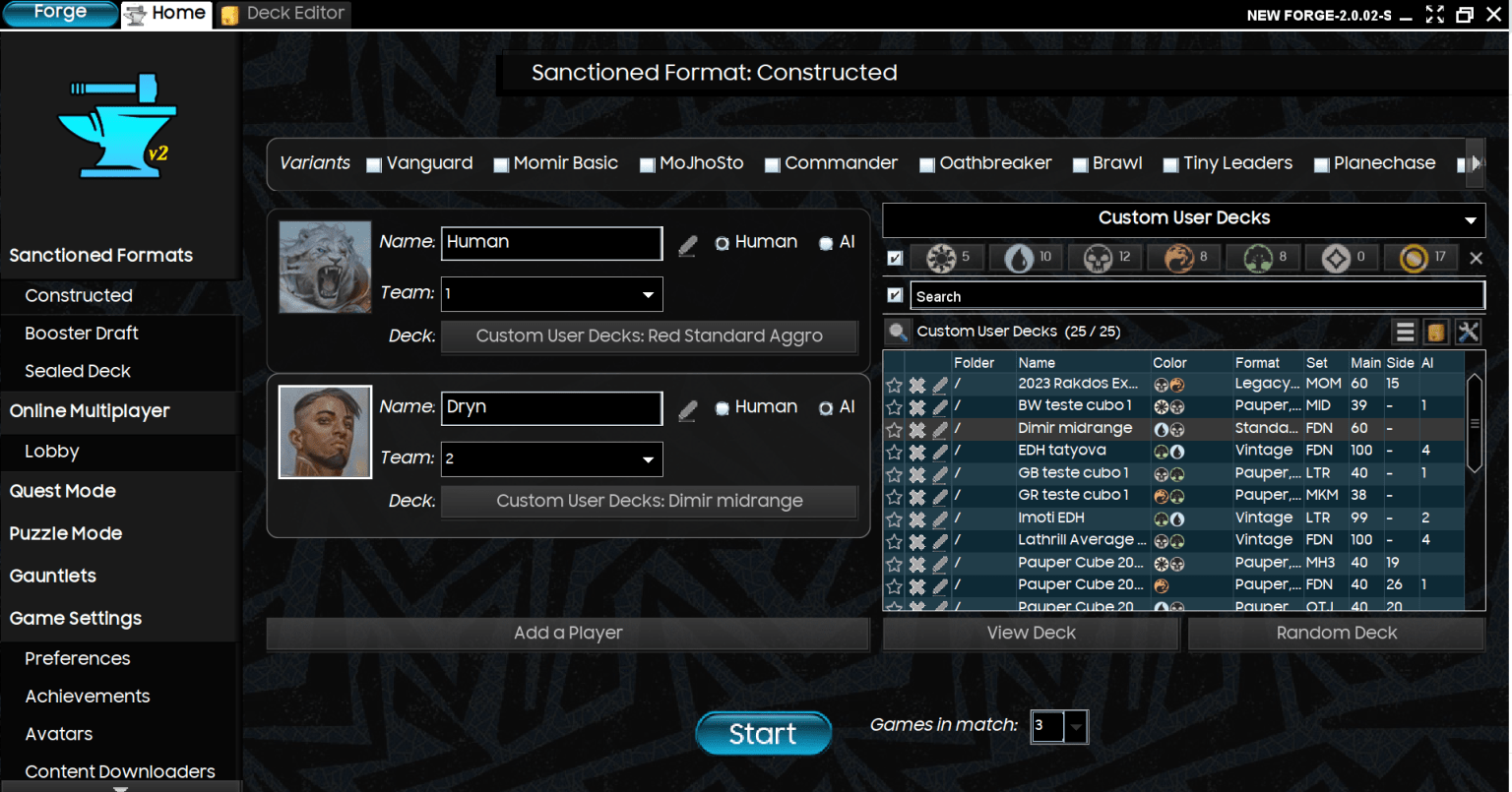
Then, I import the Dimir Midrange for my opponent using the same procedure. The image shows the two decks loaded and ready to face each other. Note that one player is me (human) and the other is set as AI. You can control both decks if you want.
Building a Commander Deck on Forge
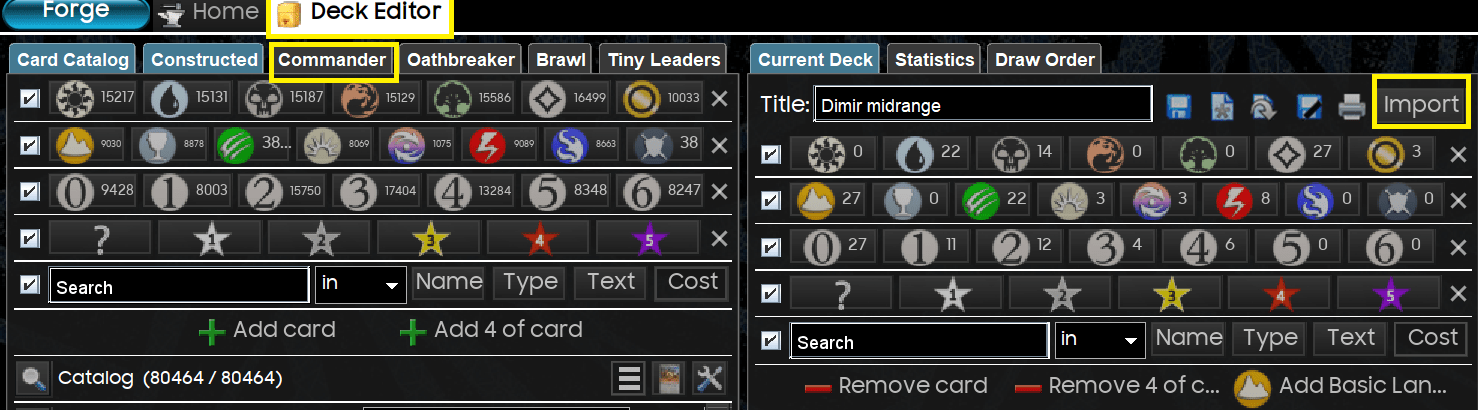
Now, let's import a Lathril, Blade of the Elves deck based on the average list from EDHRec. But first, a quick detour: Go to Preferences --> Reset editor layout. Once that's done, enter Forge's Deck Editor. Click on Commander and then Import. It's important to click on Commander so Forge knows the deck's format, as this is essential for the software to put our commander in the command zone.
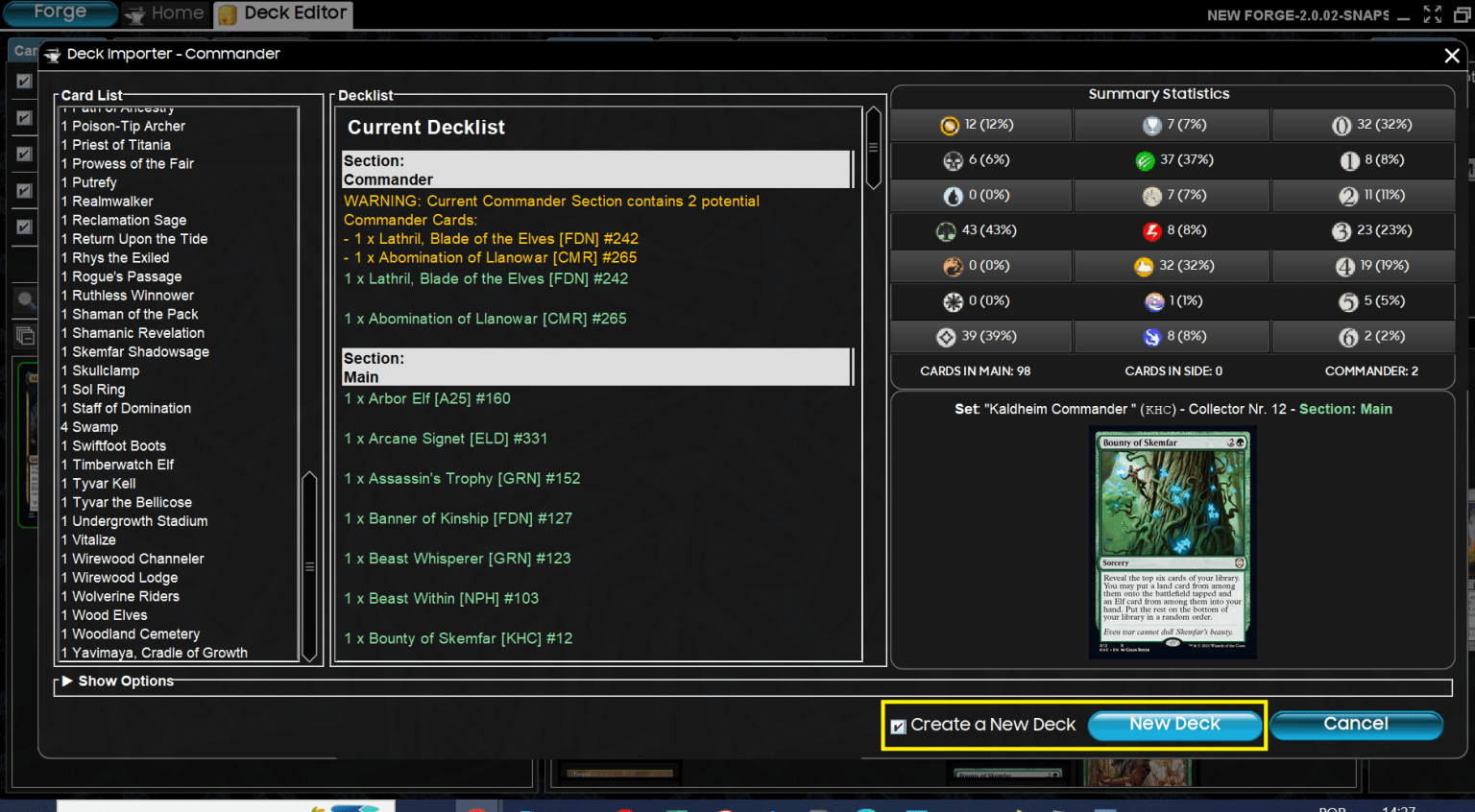
On this screen, paste the list. Click on Create new deck, and then New deck. The green cards are those that Forge has listed. Currently, Aetherdrift is not supported (editor's note: it was February 20th), so cards from that set don't work - for now. Forge warns me that I have two potential commanders, and I fix it manually.
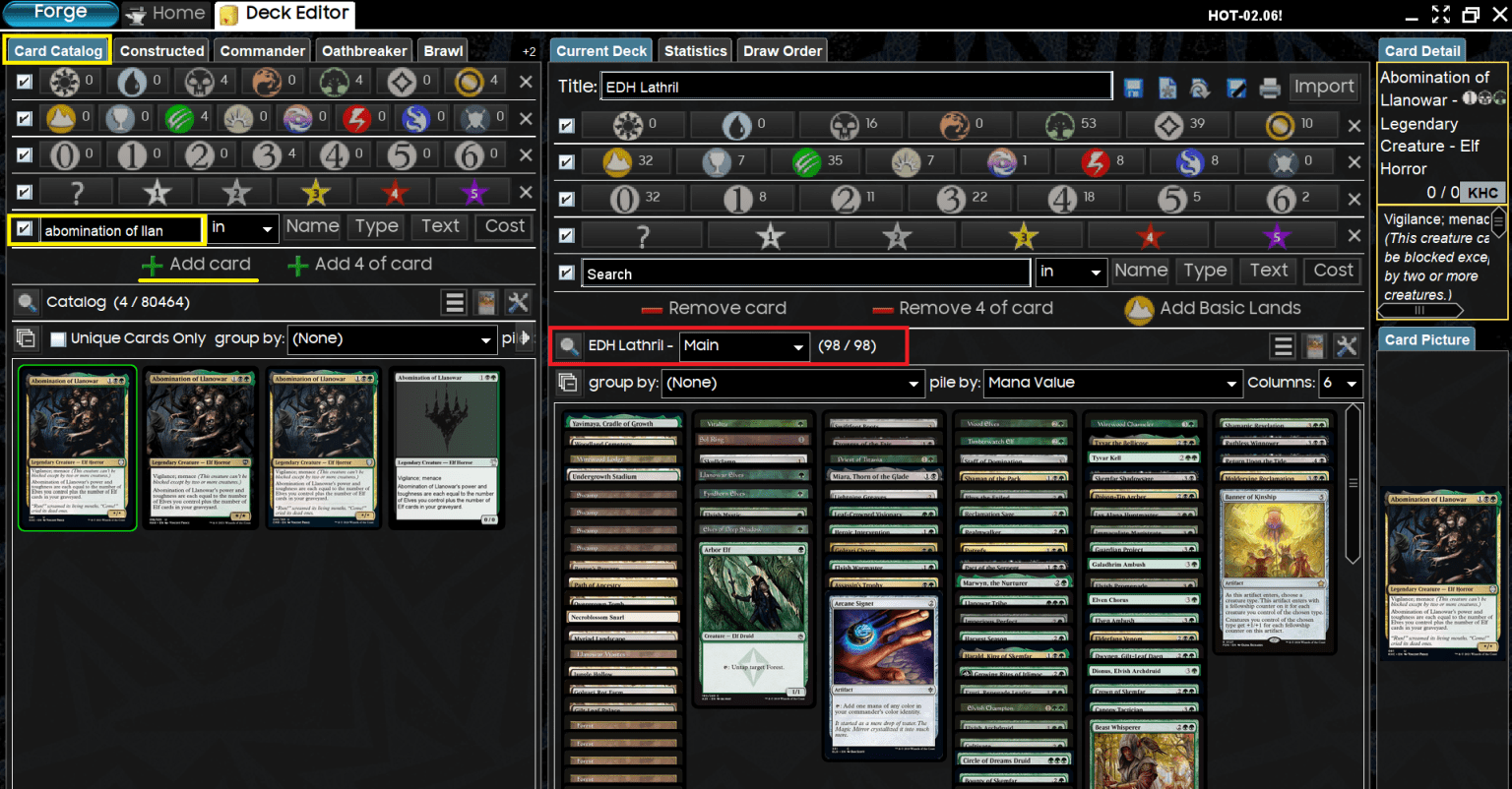
I want to point out two things. The red rectangle is where you switch from the main deck to the sideboard and the command zone. This is where you choose your commander. You will have to remove the other legends and add it manually. On the right, in yellow, it indicates that if I want to add Llanowar Abomination, I will have to click on Card catalog, search for the name, and click Add card. Once the deck is finished, save it and take it for a spin in EDH!
How to Play on MTG Forge - Single Player VS AI
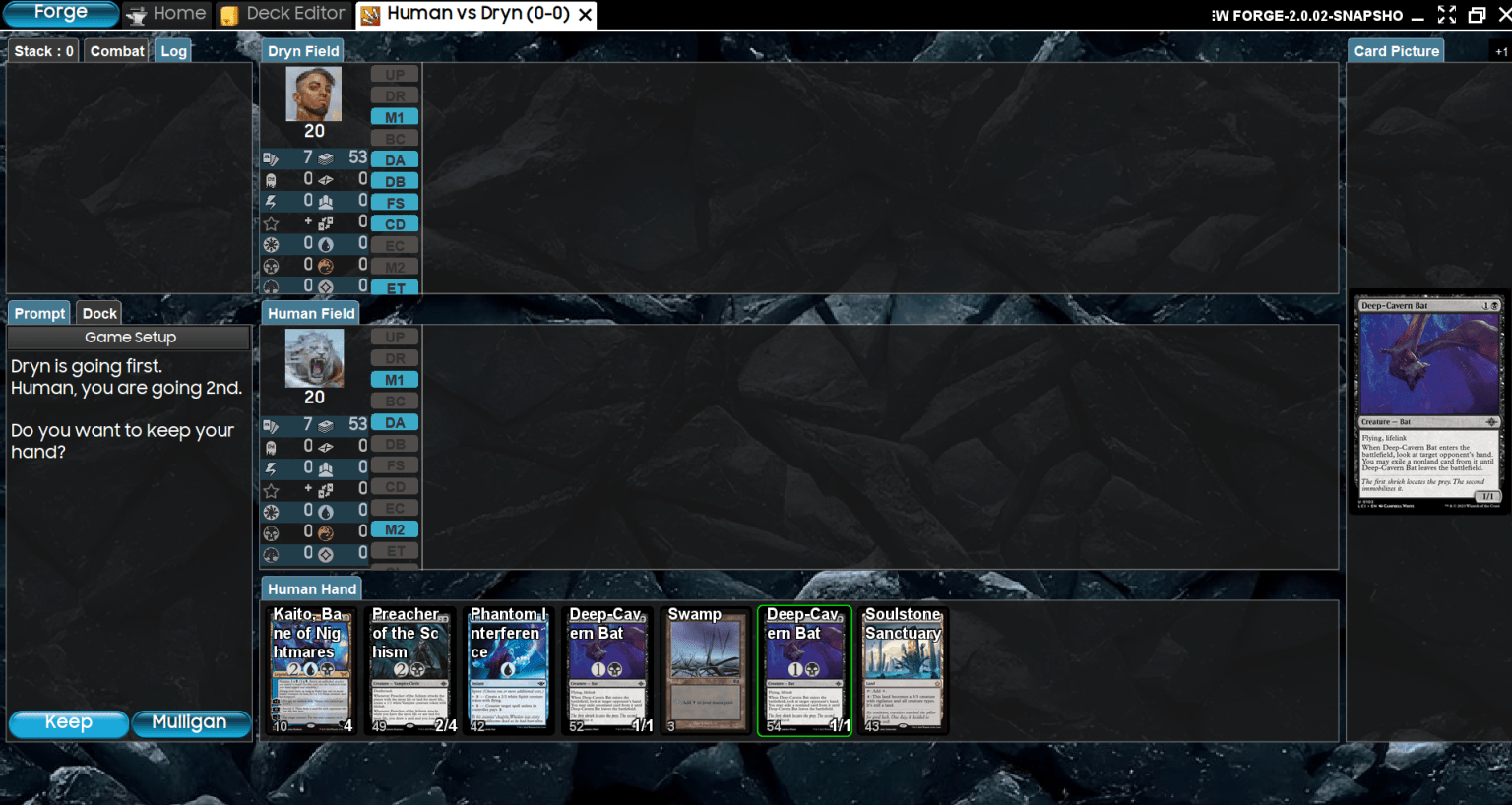
This is a game between me with Dimir Midrange and the AI playing Mono-Red. Bad hand, we mulligan.
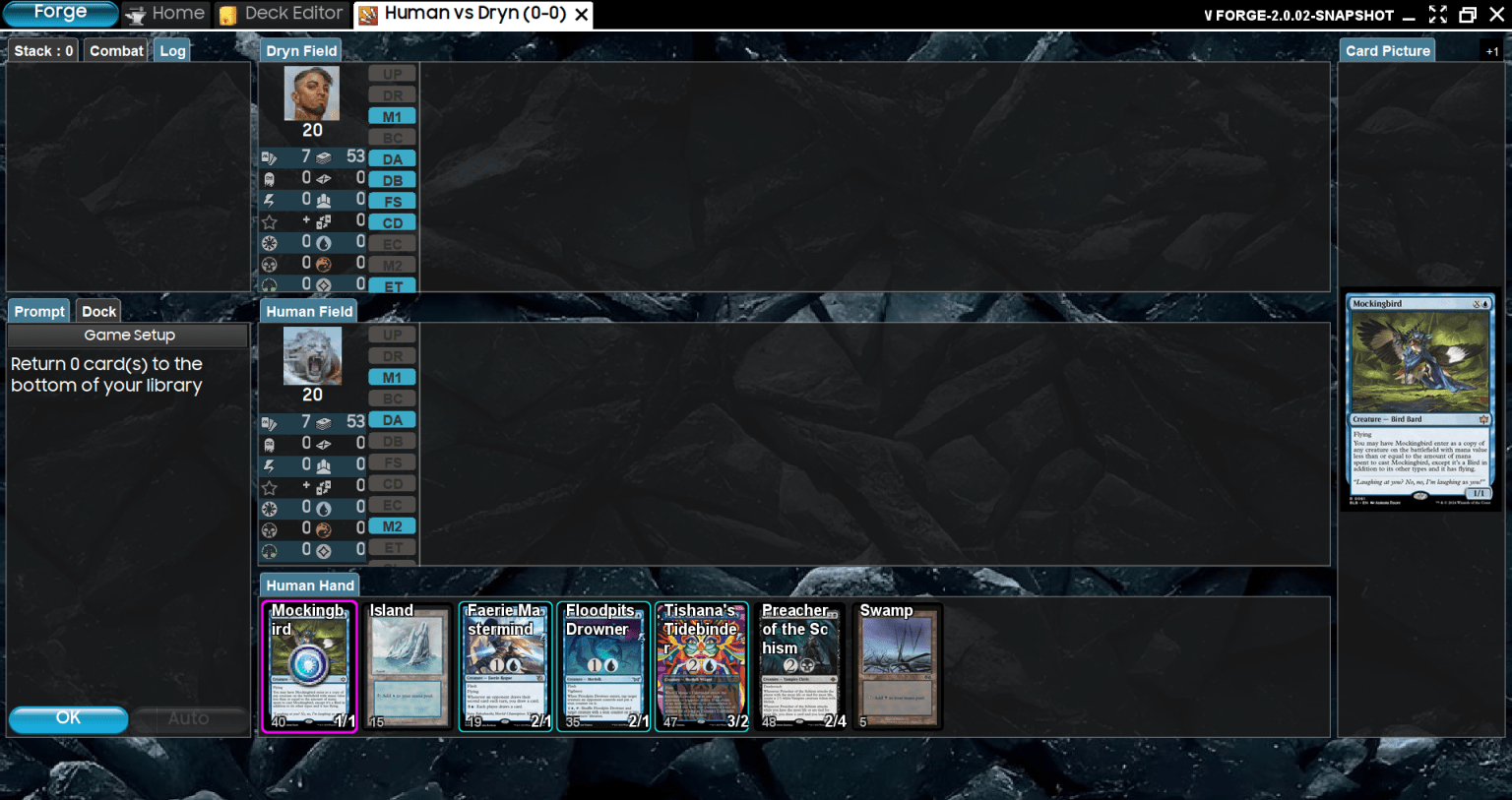
More playable hand. As you can see, Mockingbird is selected to go to the bottom of the deck.
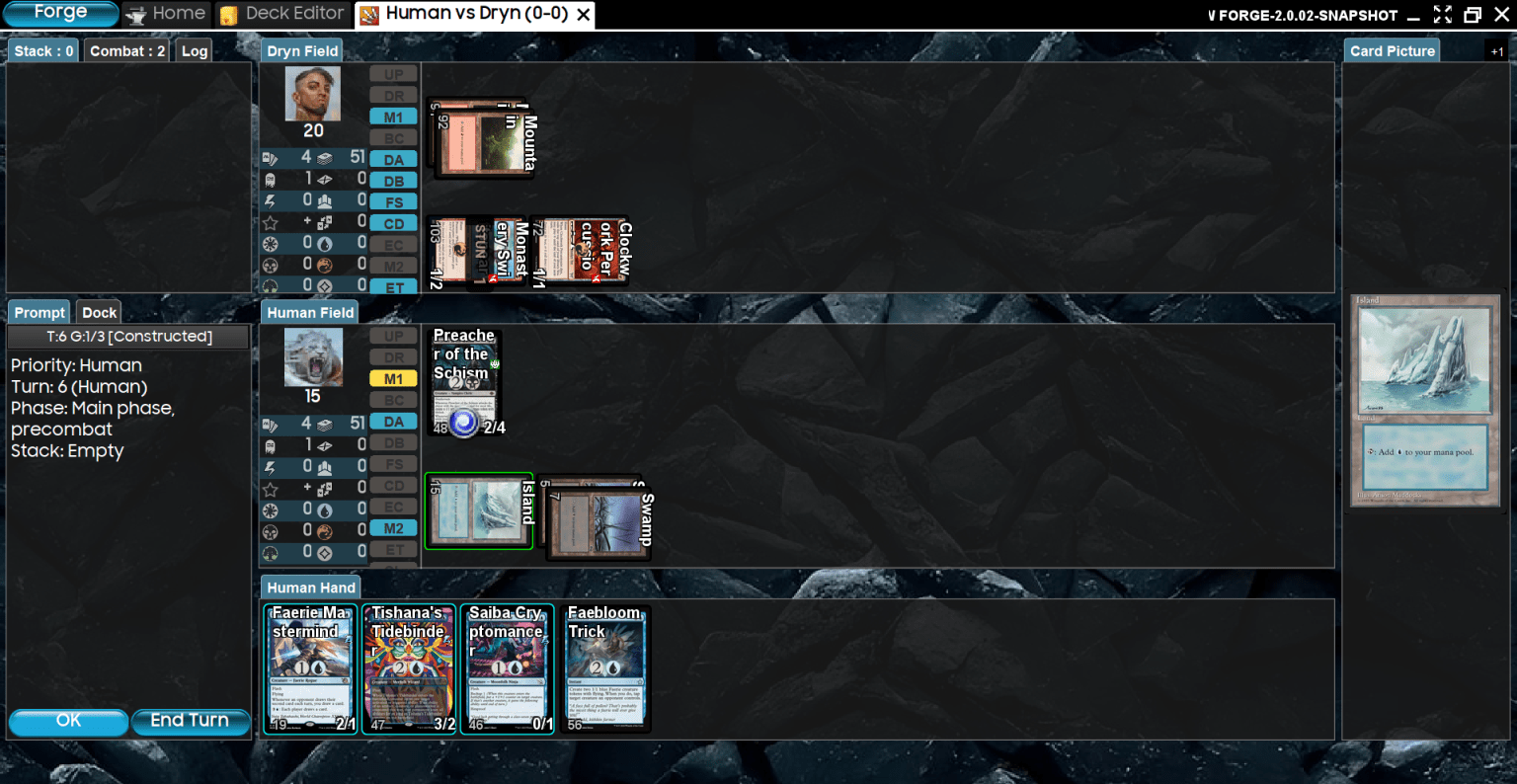
In the first few turns, my opponent attacked me, and I played Predicatore dello Scisma

Time to attack. I can either click on the creature, or click Alpha strike to attack with everything.
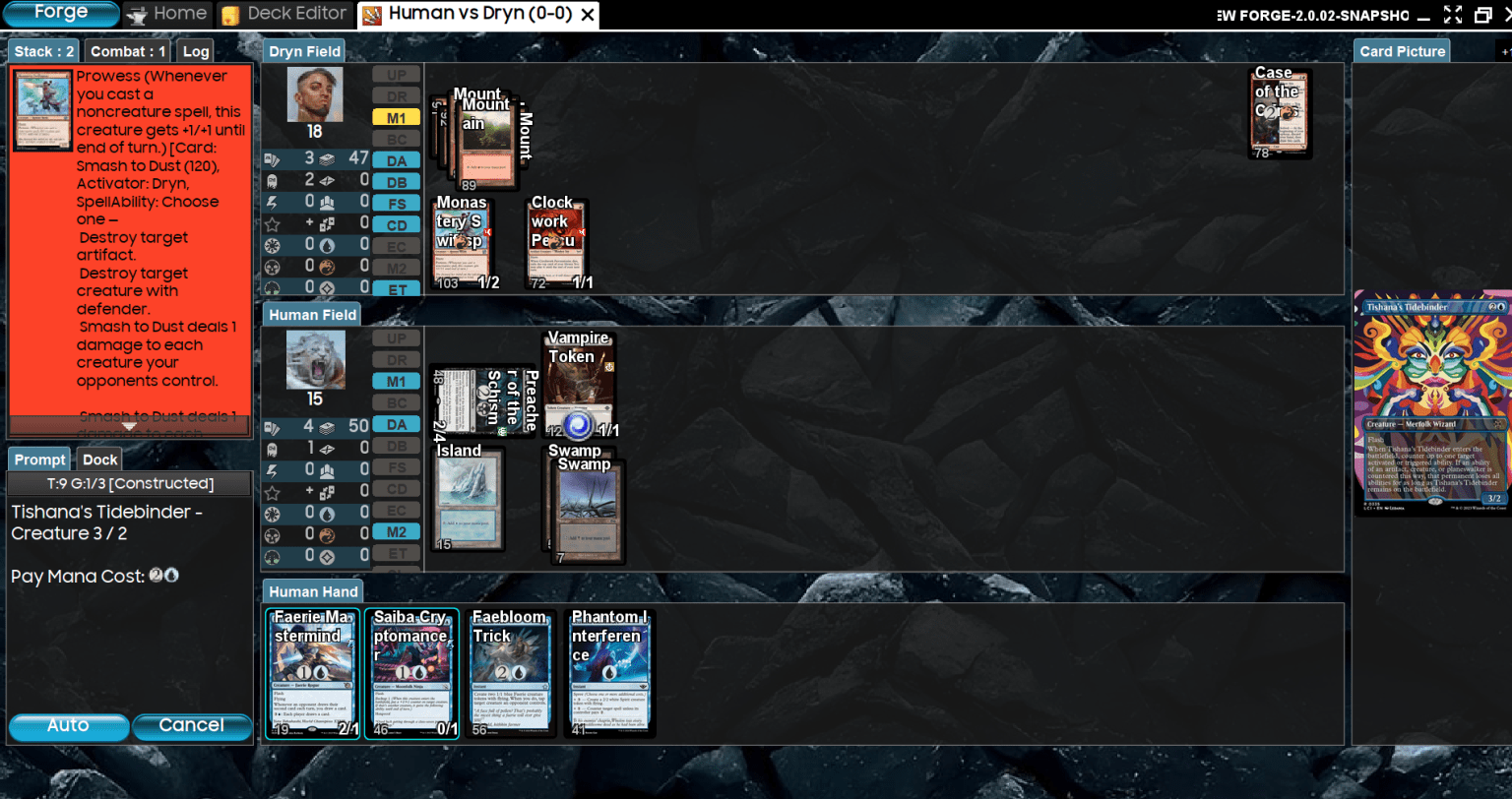
On their turn, they cast a spell, triggering Prowess. I will cast Tishana's Tidebinder. Clicking Auto pays the necessary mana.
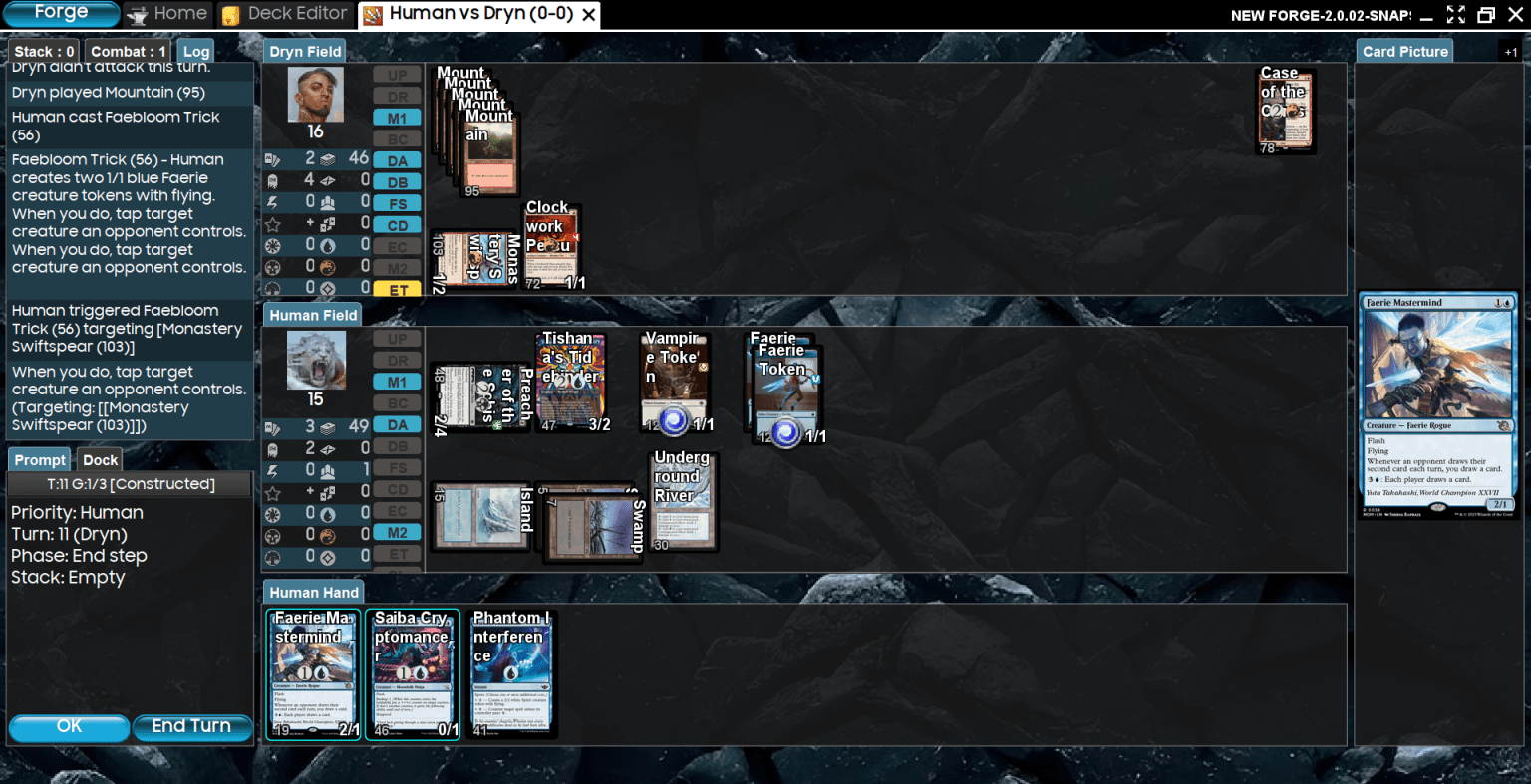
Here I show the stack by clicking on Log. I cast Faebloom's Trick, creating two Faeries and targeting their Monastery Swiftspear.
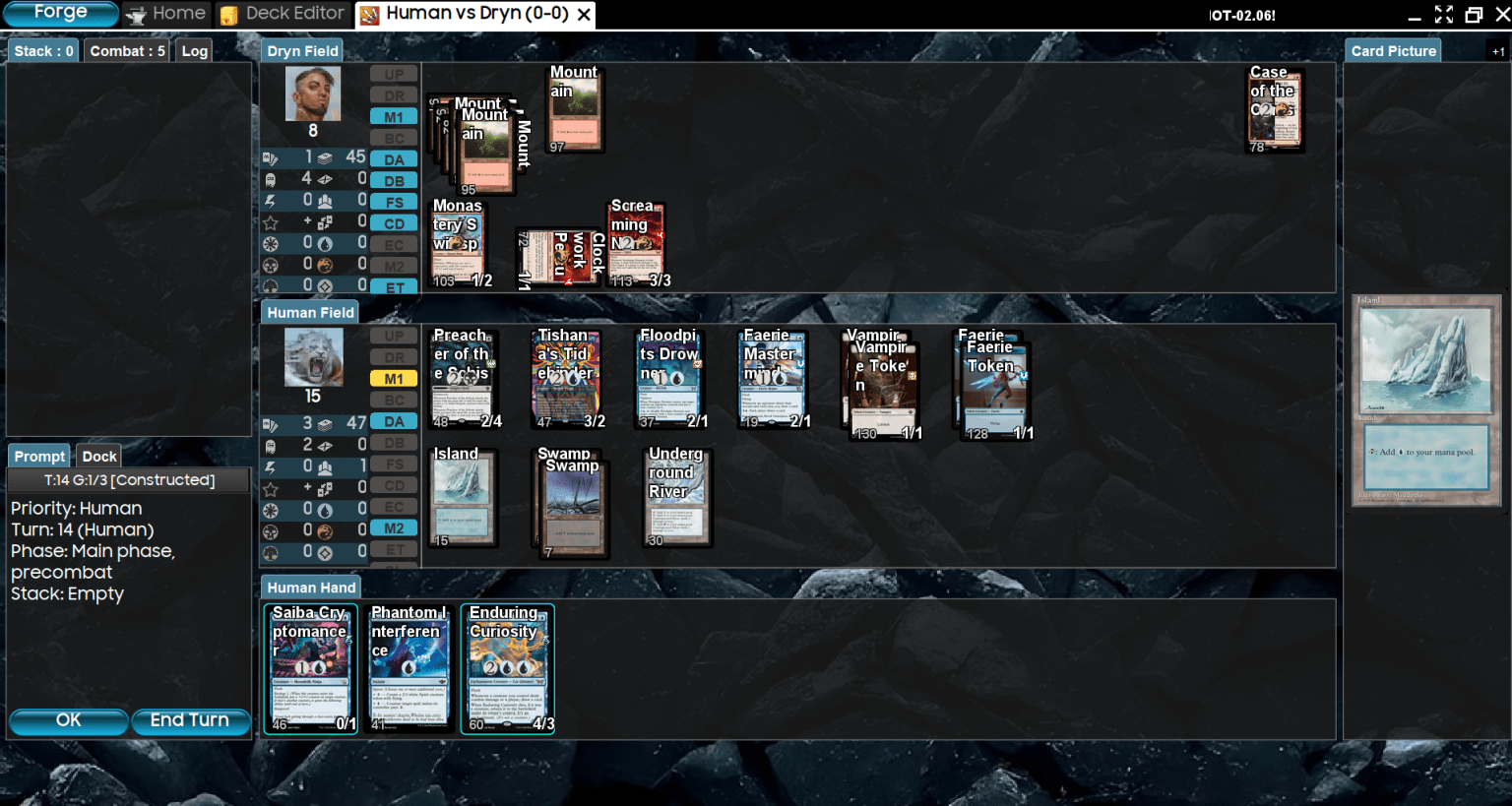
What would a Dimir Midrange be without a ton of evasive creatures and an Enduring Curiosity? Time to draw a bunch of cards. As you can see, the interface is very intuitive, and you'll have it completely mastered in a couple of games.
Multiplayer Online
Here things get complicated. Forge doesn't have active servers for lobbies or matchmaking. Other software like Cockatrice or Xmage offer dedicated servers, making it easier to play online against other players. To play against one or more friends online, one will act as the host, and the others as guests. Here's what Forge's Multiplayer Online interface looks like.
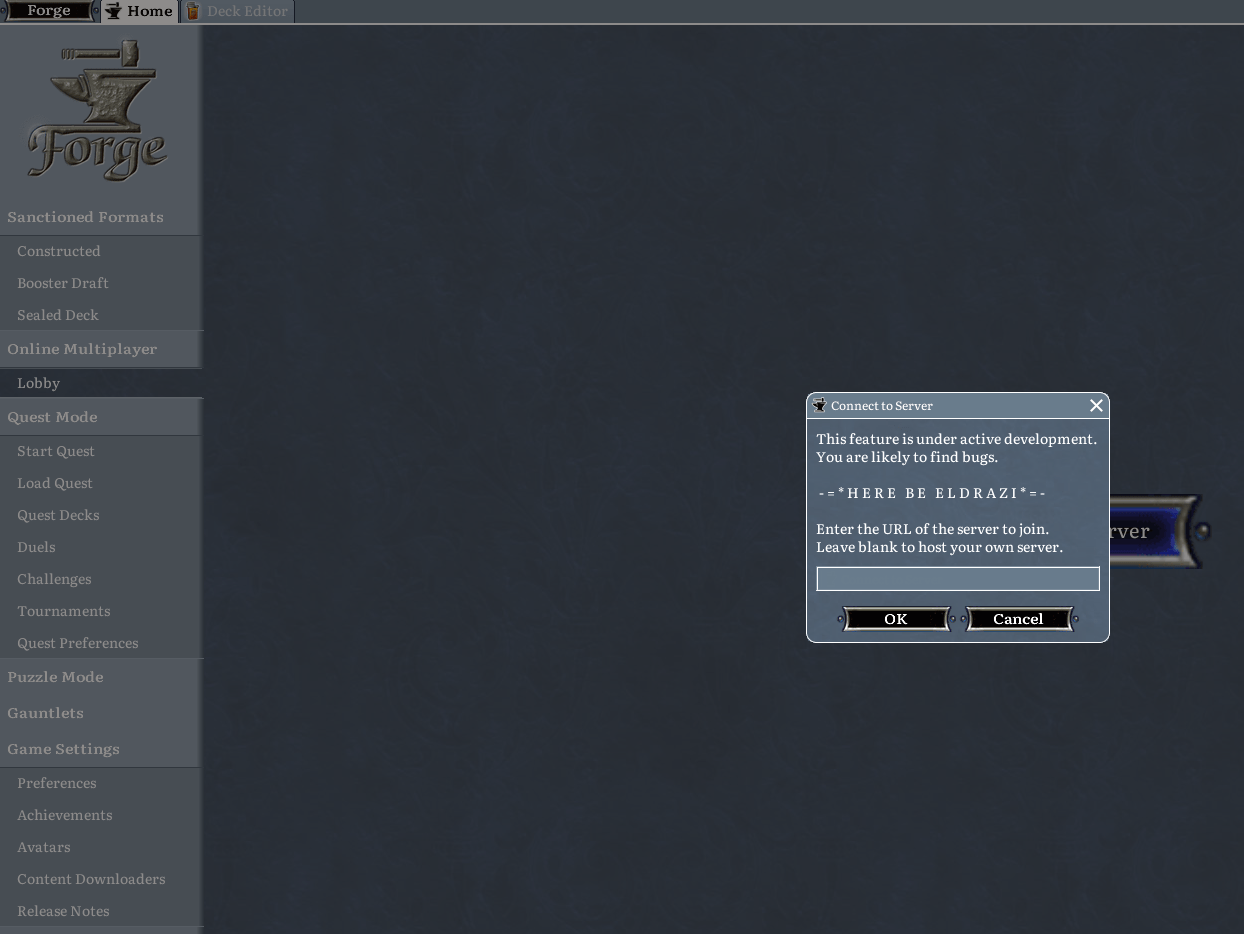
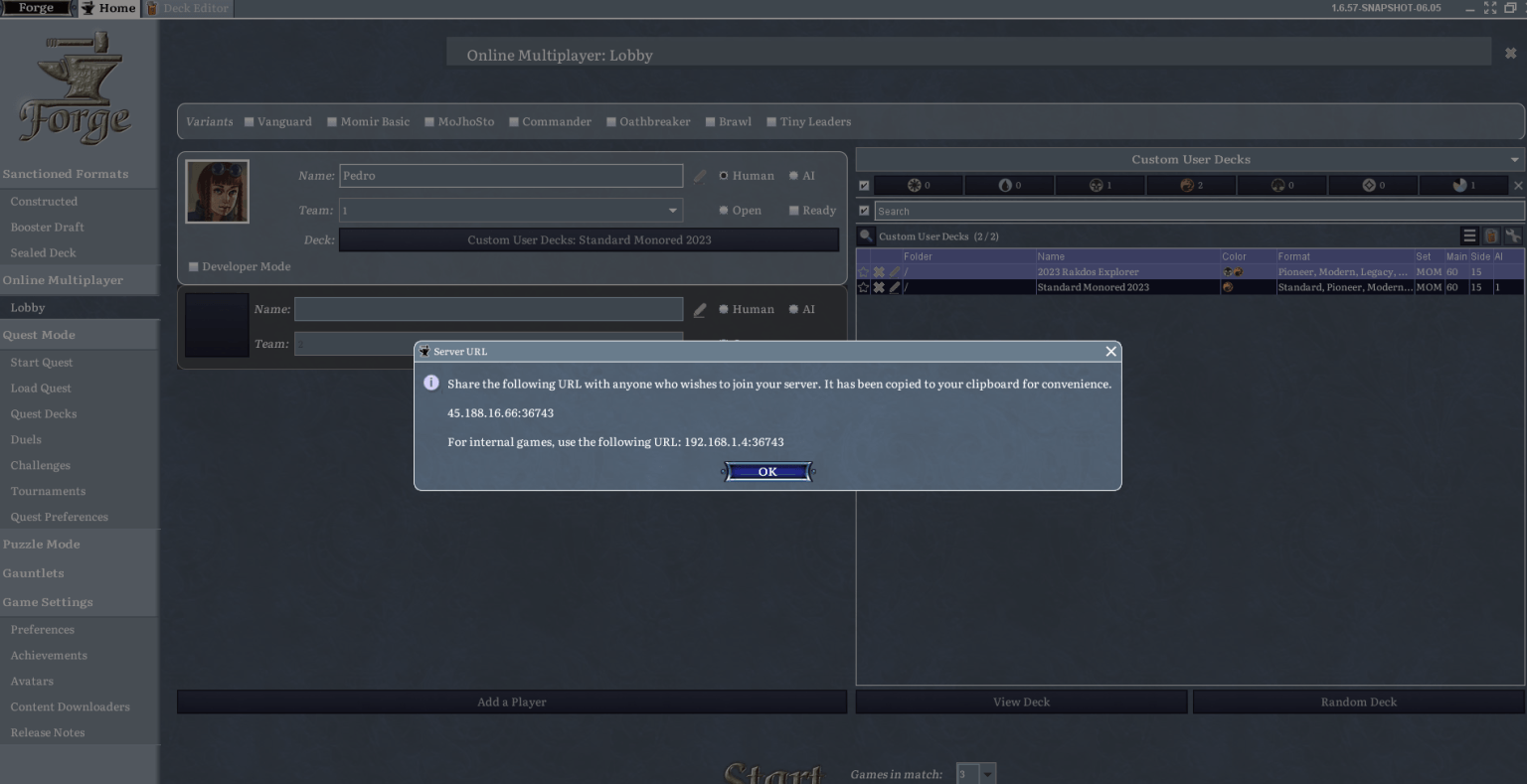
This is the information my friend needs to join my game. Additionally, here is the developer's statement (https://github.com/Card-Forge/forge/wiki/network-play):"While online multiplayer works, it's still a work in progress. This means you will encounter bugs. When they occur, they will be during the game, making it very difficult to continue playing, and you will likely need to restart the host and guest clients."
So... there you have it. Forge's multiplayer isn't exactly exciting. I would focus on the AI.
Forge Community and Discord
You can join the Forge Discord (https://discord.com/invite/3v9JCVr). It's one of the fastest ways to get news directly from the developers. They directly listen to player feedback, publish news, and answer FAQs. You can get troubleshooting support and more. You can also check out the forum for everything related to collectible card games (editor's note: but we're not far behind here on Metagame.it either).
Other tips
If you're playing a game, keep most of your phases deselected (red). This makes games faster, especially if you're playing against the AI. Otherwise, you'll have to pass priority constantly. If you need to respond to a certain trigger, you'll still be able to.
Sometimes the card or card image might not be available, especially for newer sets that have just been updated. New mechanics are also subject to bugs, which Forge developers resolve over time.
Playing Constructed games against the AI isn't very interesting because it usually doesn't know how to use its deck well. Unless it's a burn deck that casts a spell at you every turn. I find playing Limited against the AI more interesting because Limited decks are less complex.
Sometimes the AI gets into a loop. Example: it casts Man-o'-War without having other creatures, which will cause it to return Man-o'-War to hand and cast it again.
Forge sometimes crashes. It's not perfect software. If you play games with many interactions, triggers, and things happening simultaneously, you will probably have to close Forge and reopen it.
It's difficult to play a game against multiple AIs simultaneously. It's better to do a 1-on-1 game, or a 3-player EDH deck. With four or more players in a long EDH game, Forge becomes very slow and will likely crash before the game is finished.
In conclusion

It can be difficult to start playing MTG Forge, but I hope that after reading this article, you can have an easier start. Forge is good software that you should try, especially if you are a beginner or intermediate MTG player who wants to learn, improve their skills, or test and create new decks.
On MTGO you have to pay to truly start your collection, on MTG Arena there's a way to play against a bot, but it doesn't compare to MTG Forge. At least on Forge, you can play against viable decks and choose which deck you want to play against. And you can also try different game formats with any card you want: Limited, Constructed, Commander, even strange formats like Archenemy.
Have you already had experiences with MTG Forge? Would you download it right away to play? Let me know in the comments section below, or let's discuss it together on the forum.
Thanks for reading and stay well.